Last Updated 12.05.2023
Build With Steam Friends
Setup
1. Start R.A.V.E and open the Steam Overlay (SHIFT + TAB).2. Select the "Friends" tab at the bottom.

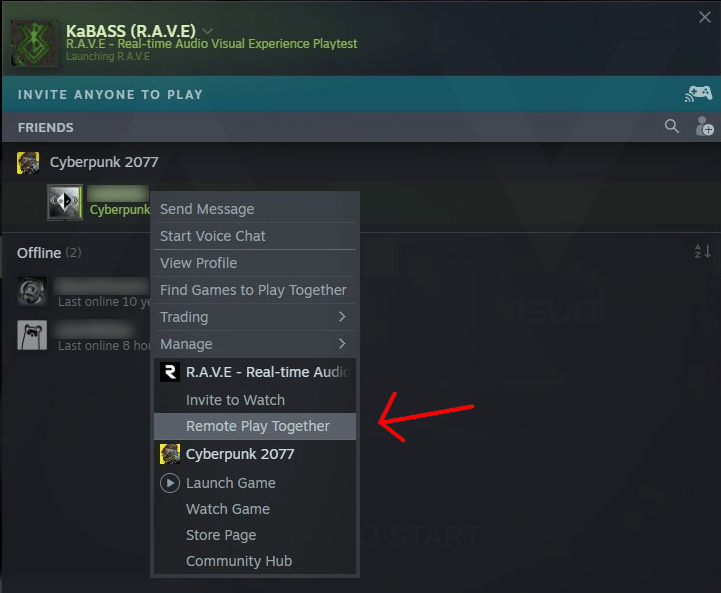
3. Click on your friends name and select "Remote Play Together".
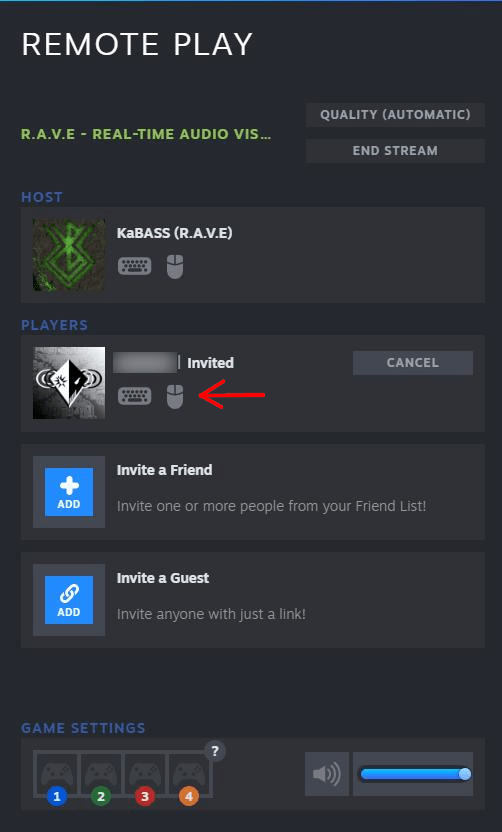
4. After your friend accepts the invite, allow them to control the character by clicking the keyboard and mouse icons under their username. You can also invite more friends using this menu.
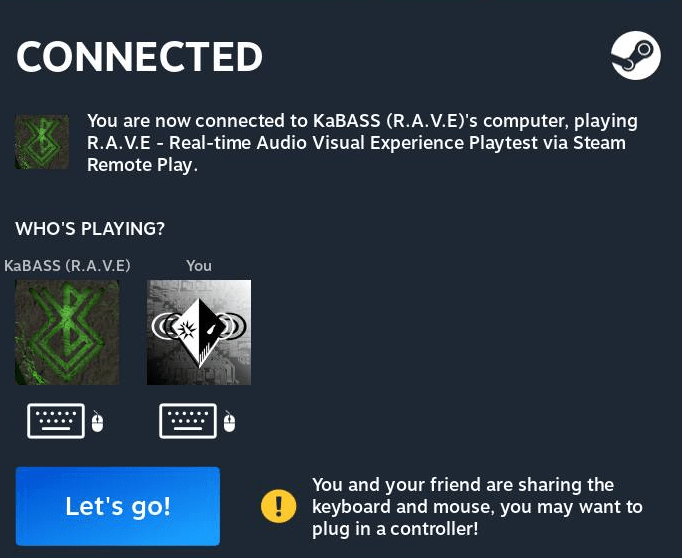
5. Your friend should now see this message after you've successfully connected with each other.